how to customise your design in the kaboodle 3D planner
Explore how to customise colours, door profiles, handles and cabinet accessories in our 3D planner to create a space that suits your style and needs.

Once you've added your cabinets, benchtops and appliances, it's time to personalise your design. The 3D planner lets you customise colours, door profiles, hardware and handle positions, as well as add accessories to make your kitchen or laundry more functional.
Follow these steps to explore the customisation options and create a design that suits your style and needs.
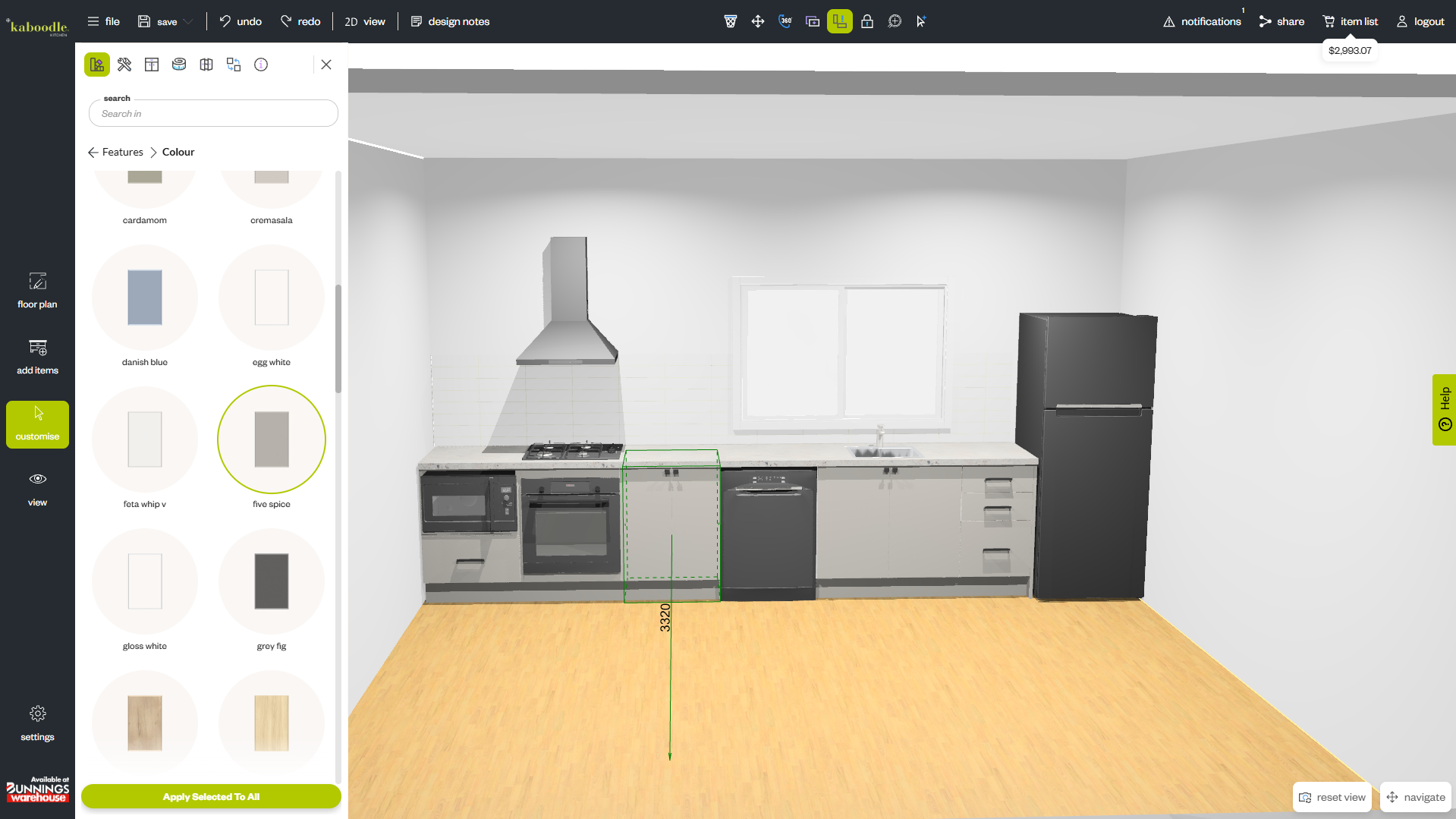
step 1: customise colours, profiles, benchtops and hardware
Start by selecting a cabinet to open the Customise menu. From here, you can adjust the appearance of your cabinetry and other components.
To change your cabinet colour, open the Styles tab and select Colour. Choose your preferred finish, then select Apply Selected to All to update matching doors and panels throughout your design.
To change your door profile, open the Profile tab and choose your preferred style. You can also select Apply Selected to All to apply the same profile to matching cabinets.
Keep in mind that the available door profiles will vary depending on the material of your door. Typically, our thermoformed range offers all profile options, while our melamine door range is only available in a modern finish.
You can follow a similar process to customise the colour of your benchtops, hardware and handles, helping you create a consistent look throughout your space.
Tip: Selecting Apply Selected to All only updates matching cabinet types. For example, changing the handles on a door cabinet won't automatically update the handles on drawer cabinets. To keep your design consistent, select a drawer cabinet and apply your preferred handle options separately.
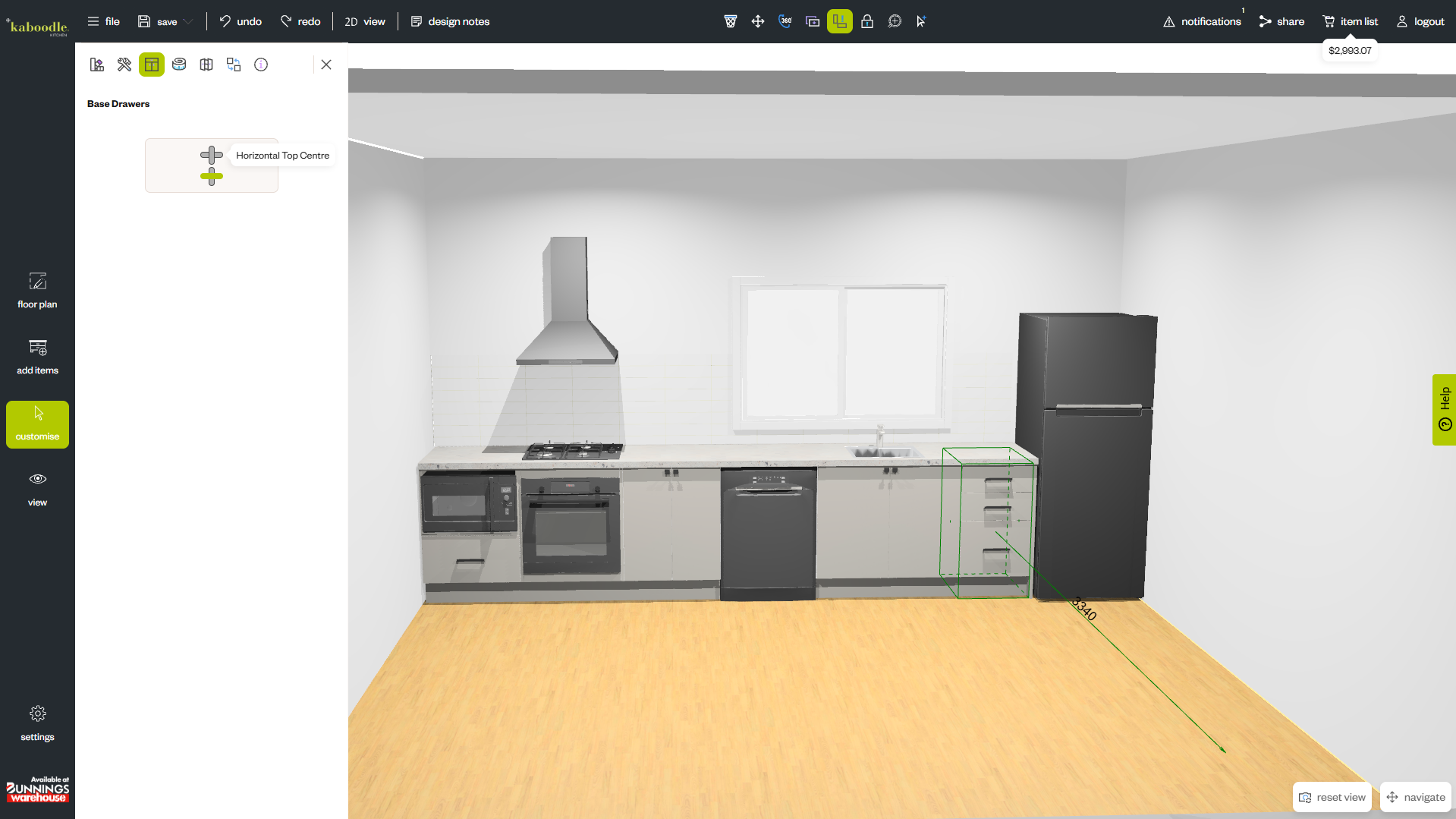
step 2: adjust your handle positions
Small details can make a big difference to the overall look of your cabinetry. The 3D planner allows you to change handle positions to suit your preferred style.
Select a cabinet to open the Customise menu, then navigate to the Handle Positions tab.
The available options will depend on the cabinet you've selected. For example, a pantry cabinet with both doors and drawers offers different positioning options for each.
For cabinet doors, you might choose to position the handles horizontally in the upper corner of the door. For drawers, you can move the handles to the upper edge of the drawer fronts for a different finish.
Repeat the process for any other cabinets you'd like to customise, keeping your handle positions consistent where appropriate.
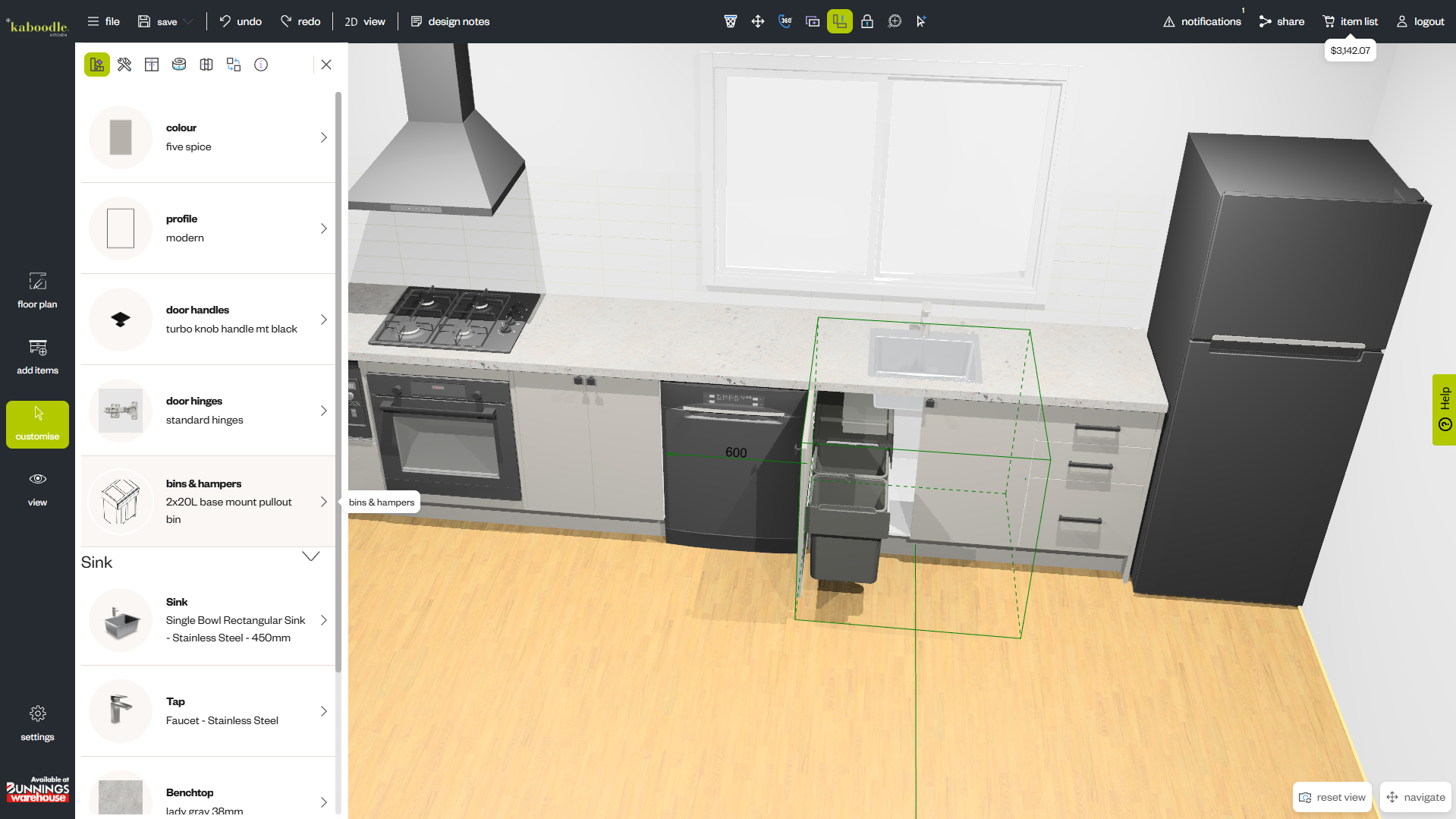
step 3: add cabinet accessories
Cabinet accessories are a great way to make your kitchen or laundry work harder for you. Depending on the cabinet selected, compatible accessories will appear in the Styles tab of the Customise menu.
For example, a 450 mm base cabinet may offer options such as built-in bins or pull-out baskets. Select the accessory you'd like to include, such as a base-mounted bin, to see how it fits into your design.
You can also preview how accessories work within your cabinetry. Select Open Doors and drag the cabinet door open to view the internal layout.
Want to try a different option? Swap the base-mounted bin for a side-mounted bin and notice how the handle automatically repositions to accommodate the accessory mounted to the back of the door.
Drawer cabinets also offer a range of accessory options to help organise your space.
Select a drawer cabinet and open the top drawer to browse the available cutlery tray combinations. Choose the option that best suits your storage needs and see how it looks within your design.
Any accessories you add will automatically appear in your item list, helping you keep track of the products you'll need for your project.
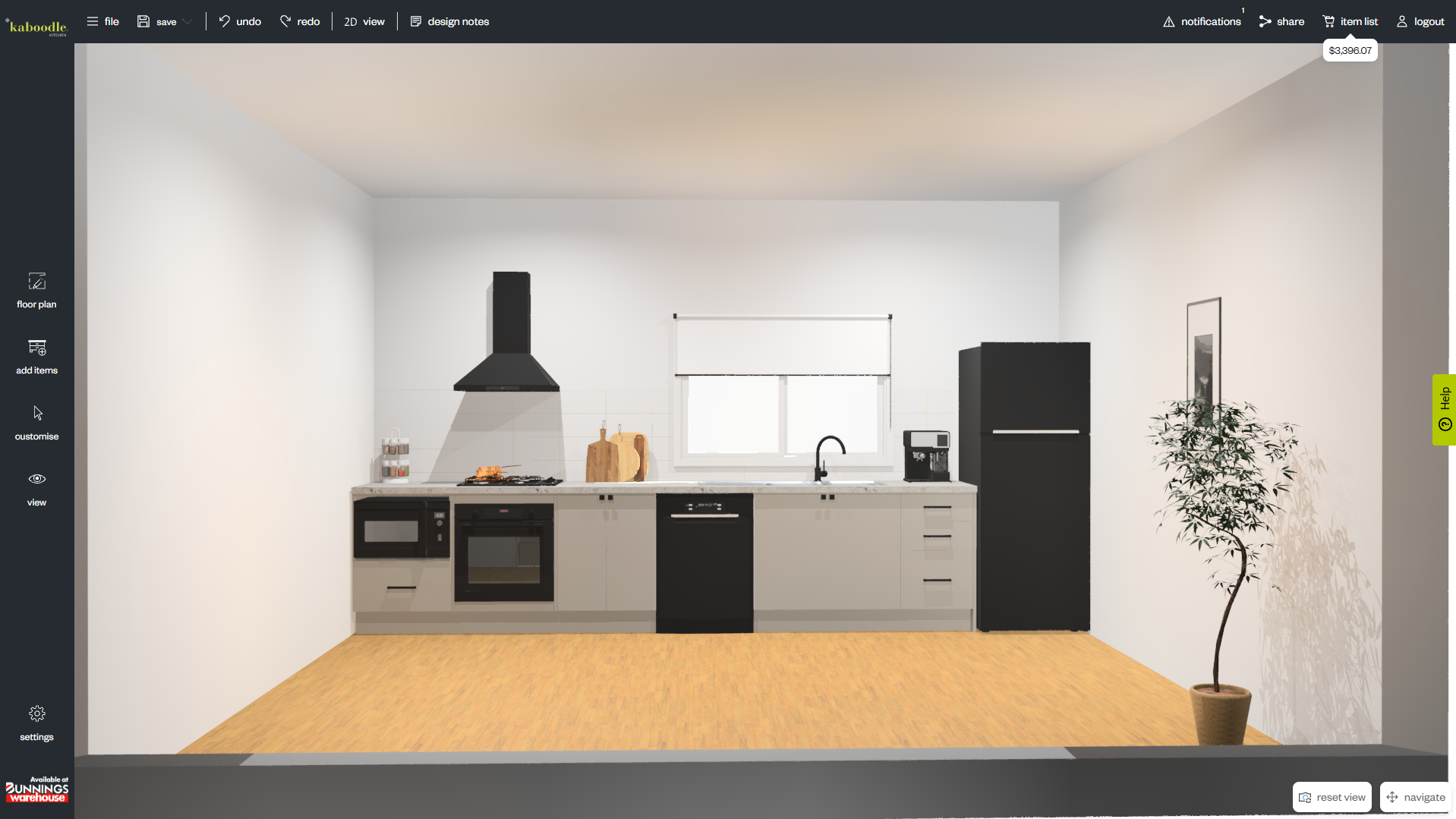
step 4: review your customised design
Once you've finished making changes, take a moment to review your design in 3D. Check that your colours, door profiles, benchtops and hardware work well together, and that your accessories suit the way you plan to use the space.
By exploring these customisation options, you can create a kitchen or laundry that's tailored to your style while making the most of your available storage.
For more ideas and information, visit our design blog and image gallery, or follow us on Instagram, TikTok, Facebook and Pinterest.